How to write meeting minutes: format, example and templates
What minutes are, the format formal and informal meetings expect, what to include, a worked example, and free Word templates for board, team and AGM minutes.
What are meeting minutes?
Meeting minutes, also called minutes of meeting or simply the minutes, are the official record of what a meeting decided. They are written for the people who were not in the room, and for whoever needs to know a year from now what was agreed and by whom. The name probably comes from the Latin minuta scriptura, "small writing", the rough notes a clerk took down, and minutes are still meant to be the short version.

That is what separates them from notes. Notes are yours: whatever seemed worth keeping, in whatever form suits you. Minutes belong to the group. They record what was decided and who agreed to do what, in a form someone can rely on later, and most of the discussion never appears. If three people spend twenty minutes disagreeing about a budget and the committee approves it, the minute is that the committee approved it.
Your notes
Q4 budget — Sam worried re overspend
Priya: mktg can absorb 10%?
£52k → £48k after cuts
long back & forth re events…
agreed in the end Jo sends figs Fri
The minute
The committee approved the revised Q4 budget of £48,000.
Action: JO to circulate the revised figures by Friday 11 September.
Without a record, everyone leaves with their own version of the decision, the action nobody owned goes unchecked, and the same item comes back three months later because nobody can tell whether it was settled. For a board the record matters more: it shows that the meeting was quorate, that any interests were declared and that each decision was taken properly, and it is what an auditor, a regulator or a court may ask to see.
What format should meeting minutes follow?
Minutes follow the agenda, in a standard order: a heading with the group's name and the date, time and place; who attended and who sent apologies; the previous minutes and matters arising; one item per agenda point, each ending in its decision and any action; any other business; and the date of the next meeting. What changes from one meeting to another is how formally they are written, and that depends on whether the meeting is a formal one.
Formal · board or committee
RM declared an interest and left the room for this item.
The committee considered the revised Q4 budget. Resolved: that the budget of £48,000 be approved.
Proposed: SH · Seconded: PK · Vote: 6 for, 0 against, 1 abstention.
Action: JO to circulate the revised figures by 11 September.
Informal · team meeting
Agreed at £48k, down from £52k.
Action: JO to send the revised figures by Fri 11 Sep.
Formal meetings — a board, a committee, an AGM, a trustee meeting — follow conventions that exist because the minutes may be relied on by someone who was not in the room:
- Past tense, third person. "The board approved the revised budget," not "we approved."
- Neutral throughout. Record what was decided, not whether it was a good idea.
- Attribute sparingly. Names belong against actions, and against whoever proposed and seconded a motion. For ordinary discussion, "the committee considered" is enough.
- Record votes as numbers. For, against and abstentions. Name individual voters only when a member asks for their vote to be recorded.
- Mark them as a draft until the next meeting approves them.
Formal minutes use a small set of verbs, each with a fixed meaning:
- Noted: received, and no decision taken.
- Agreed: settled by consensus, without a vote.
- Resolved: a formal motion put and carried.
- Approved: something presented to the body was accepted, such as the minutes, the accounts or a budget.
- Deferred: held over to a later meeting, with the date.
- Action: a named person will do something by a date, written as "Action: JO to circulate the figures by 11 September".
Many American bodies follow Robert's Rules, whose standard order of business runs: call to order, approval of the previous minutes, reports, special orders, unfinished business, new business, adjournment. Many add a roll call after the call to order, which covers who is present and establishes the quorum. Matters arising is the nearest UK match to unfinished business, though Robert's Rules means motions left pending or postponed rather than updates on actions, and declarations of interest and any other business have no Robert's Rules heading. The board template below follows the UK order, and every Robert's Rules heading has a place in it.
Informal meetings — a team sync, a project check-in, a one-to-one — need almost none of that ceremony, but they keep all of the substance. A team record still needs what was decided, who is doing what by when, any number that was quoted, any date that was agreed, and anything blocking progress. The numbers are the ones people most often leave out and most often go back looking for: someone says "we're at about sixty per cent of target" in passing, and three weeks later nobody can remember whether it was sixty or seventy, or sixty per cent of what.
What should be included in meeting minutes?
Almost every set of minutes carries the same fields:
- The date, time and place of the meeting, and the group's name if the title doesn't carry it
- Who attended, and who sent apologies
- Each agenda item, with the decision reached
- Actions: what, who owns it, and by when
- The date of the next meeting
The actions matter more than anything else on that list. An action with no owner and no date is the one that quietly fails to happen.
A board, committee or AGM adds:
- Whether the meeting was quorate
- Declarations of interest (boards and committees), recorded before the business they affect
- Whether the previous minutes were approved as accurate
- Who presided: the chair, or whoever took the chair in their absence
- For each resolution, who proposed it, who seconded it, and the vote
- The time the meeting closed
- The chair's signature, once the minutes are approved at the next meeting

Meeting minutes example
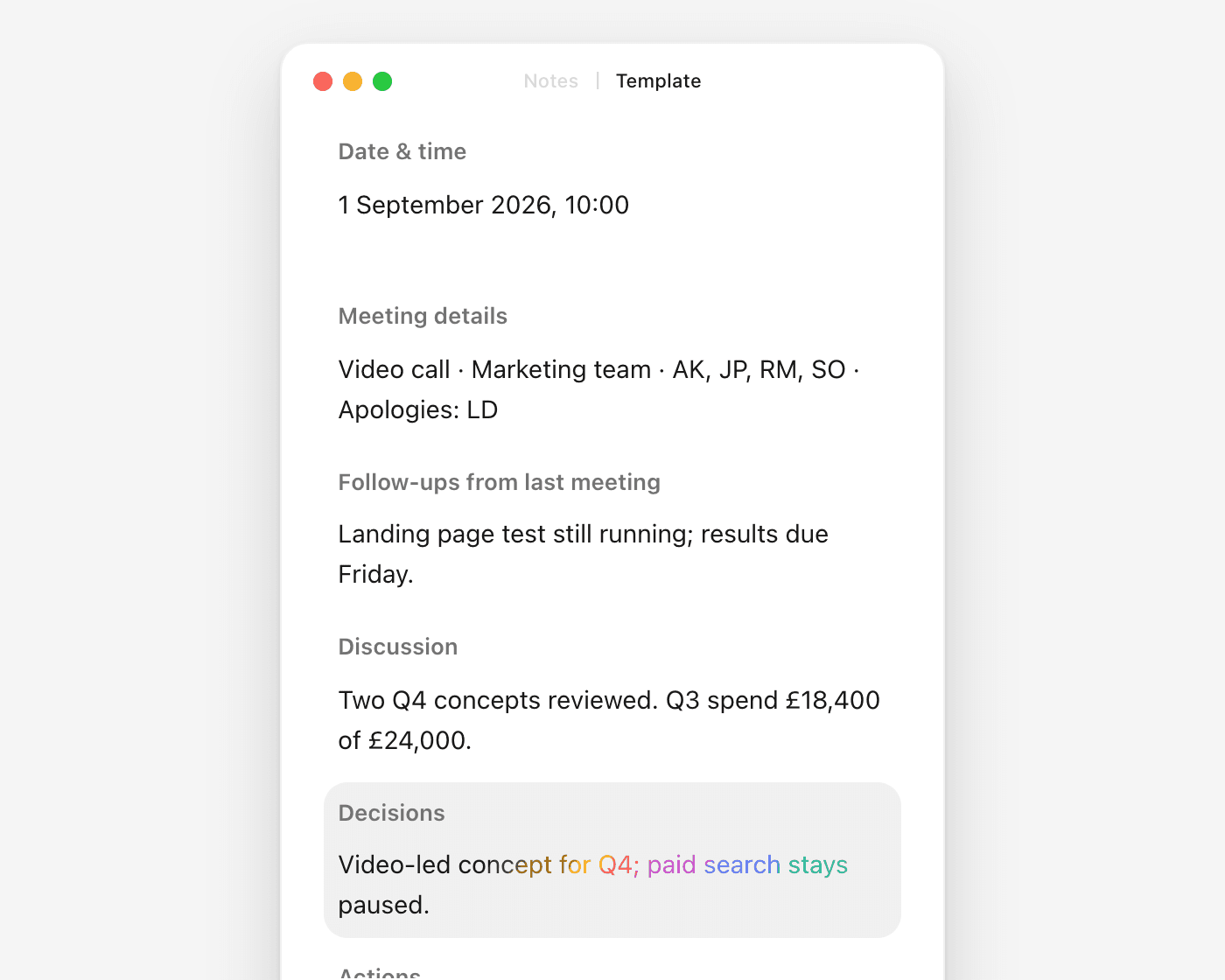
A team meeting, written up in the informal format and filled into the meeting minutes template below. The Discussion section has one line per topic, saying what was covered and any figure quoted, and not who said what.
Tuesday 1 September 2026, 10:00–10:40
Video call · Marketing team · Attendees: AK, JP, RM, SO · Apologies: LD
- Landing page test still running; results due Friday
- Newsletter redesign not started; carried to 8 September
- Q4 campaign: two concepts reviewed, the video-led one preferred
- Q3 spend to date: £18,400 of £24,000, as at 31 Augustnumber
- Pricing page: 212 sign-ups in its first week, against 140 the week beforenumber
- Go with the video-led concept for Q4; the static concept is droppeddecision
- Paid search stays paused until the landing page test finishesdecision
- RM — write up the landing page test results — by 4 Septemberowner + date
- JP — brief the video agency and get a quote — by 8 Septemberowner + date
- AK — confirm the Q4 budget with finance — by 11 Septemberowner + date
Tuesday 8 September, 10:00
Every line in it records a decision, a figure, a date, an owner, or a one-line note of what a topic covered. A line that does none of those is usually a record of the debate, and can go.
Meeting minutes templates
Three shapes cover most meetings. Download the Word file for the one you need, or copy it as text into your own document. Delete any heading you did not use: an empty section reads as something nobody got round to.
Board meeting minutes template
For boards, committees and trustees. Declarations of interest come before any business, and every resolution records who proposed it, who seconded it and how the vote went.
[date], [start time]
[venue or video link] · Chair: [name] · Minutes by: [name]
Present: [names] · Apologies: [names] · In attendance: [non-members, e.g. auditors] · Quorum: [confirmed / not met]
[name] declared an interest in item [n], or "None declared"
The minutes of [date] were approved as an accurate record.
[item]: [update against a previous action]
[n]. [Agenda item]. The board considered [subject].
Resolved: [what was decided]. Proposed: [name] · Seconded: [name] · Vote: [for / against / abstentions]
[item], or "None"
[owner] — [task] — by [date]
Meeting closed at [time]. Next meeting: [date, time, place]
[chair's signature] · [date approved]
Meeting minutes template
For a team or staff meeting, or any meeting that needs a record, without the board version's quorum, declarations and votes.
[date], [start and finish time]
[venue or video link] · Attendees: [names] · Apologies: [names]
[action from last time] — [done / in progress / carried over]
[topic] — [what was covered, with any figure quoted and what it refers to]
[what was decided, and who made the call if it matters]
[owner] — [task] — by [date]
[date, time]
AGM minutes template
For the annual general meeting of a charity, club or member association. It follows the board order, with reports and elections in place of the regular business; any actions arising pass to the board.
[date], [start time]
[venue or video link] · Chair: [name] · Minutes by: [name]
Present: [number of members, names of officers] · Apologies: [names] · Proxies: [number received] · Quorum: [confirmed / not met]
The notice of the meeting was taken as read.
The minutes of the previous AGM were approved as an accurate record.
Chair's report: [summary of what was reported]
Treasurer's report and accounts for the year ended [date], presented by [name]
Resolved: that the accounts for the year ended [date] be received. Proposed: [name] · Seconded: [name] · Vote: [for / against / abstentions]
[name] elected as [role]. Proposed: [name] · Seconded: [name] · Vote: [for / against / abstentions]
Resolved: that [firm] be reappointed as [auditors / independent examiner]. Proposed: [name] · Seconded: [name] · Vote: [for / against / abstentions]
[item], or "None"
Meeting closed at [time]. Signed: [chair] · [date approved at the next AGM]
Bring any of these to Sorinai and it fills in each field as the meeting reaches it, in your own Word file. See how template filling works.
All twelve free Word templates, including project minutes and an agenda with minutes, are on the templates page.
How do you take minutes, step by step?
Before the meeting. Build your document from the agenda, one heading per item, before anyone speaks. Headings, names and item numbers can all be typed in advance, which leaves only the decisions to write during the meeting. An agenda written as the things to be settled ("Approve the Q4 budget", not "Budget") gives you a line to write against for each item, and the agenda and minutes template puts both in one document, the agenda on the first page and the minutes on the second. For a formal meeting, have the previous minutes open too, and make sure you know who everyone is: names, roles, and who is a member rather than in attendance.
During. Write decisions and actions as they happen. Do not try to keep up with the discussion: you are not transcribing it, and trying to is what makes people miss the decision when it finally arrives. When something is agreed, get the wording down, with who owns it and by when. If you did not catch it, say so and ask. Interrupting for ten seconds is cheaper than guessing later.

Immediately after. Fill the gaps within the hour, not the next day. Check that every action has a name and a date, and that every item has an outcome rather than a summary of the conversation.
Then circulate. Send the draft to attendees within a few days, marked as a draft. For a formal body it goes out with the papers for the next meeting.
Then file. Approved minutes go where the organisation keeps them, such as a minutes book, a shared folder or a board portal, and not the minute-taker's inbox. Name the file by body and date, Board minutes 2026-09-02, so a year of them sorts itself.
What are the most common mistakes in meeting minutes?
- Writing a transcript. Minutes record decisions, not the conversation that produced them.
- Leaving actions unowned. "The team will look into pricing" names nobody and commits no one. Every action needs a person and a date.
- Recording opinions as facts. "The proposal was poorly received" is your reading of the room. "The proposal was not approved" is what happened.
- Writing them up days later. The wording of a decision is the first thing memory loses, and it is the part that matters most.
- Skipping the boring fields. Date, attendees and apologies feel like formalities until someone needs to establish who agreed to something, or whether the meeting was quorate.
- Keeping what should stay out. Side conversations, jokes and personal remarks do not belong in the record, and a confidential item belongs in a separate minute with restricted circulation.
How do you take minutes without missing the meeting?
Whoever takes the minutes is the person least able to take part. They are typing while everyone else is thinking, and by the time one decision is written down, the discussion has moved on to the next. Writing up afterwards from a recording means sitting through the meeting a second time.
With Sorinai, you bring the minutes template you already use, your Word file with your fields, and it fills them in as the conversation reaches each one. You still write what you notice, in your own words, and it fills in around you during the call rather than after it. It listens on your own computer, so no bot joins the meeting, and it works in a meeting room as well as on a video call. Every answer it fills in keeps the transcript quote it came from, so you can check a line against what was said before the draft goes round.
Meeting minutes FAQ
How long should meeting minutes be?
As short as the decisions allow. A team meeting often fits on one page and a board meeting on two or three, plus any papers attached. Minutes that run much longer than that are usually recording discussion.
Who takes the minutes?
In a formal body, the secretary, clerk or company secretary, or someone they appoint. In a team, whoever the chair asks, ideally not the person running the meeting. Rotating the job spreads the load, but the format should stay the same whoever writes it.
Who approves the minutes?
The same body, at its next meeting. The draft goes round with the papers, members can propose corrections, and once the minutes are approved the chair signs them. Approved minutes are the official record; the draft is not.
How do you write matters arising in minutes?
Under its own heading, straight after the last minutes are approved, with one short line per point from those minutes and what has happened since: "Landing page test: still running; results due Friday." A team can call it "Follow-ups from last meeting", as the example above does. Anything that needs a decision goes on the agenda as its own item rather than being settled here.
Are meeting minutes a legal requirement?
For companies, yes. Most other formal bodies are required to keep minutes by their own constitution, or expected to by their regulator. In the UK, a company must keep minutes of its directors' meetings and its general meetings for at least ten years under the Companies Act 2006. In England and Wales, the Charity Commission says trustees of charitable companies and CIOs must take minutes, and other charities should keep theirs for at least six years. In the US, nonprofit corporation law generally requires board minutes as part of the permanent records, and IRS Form 990 asks whether the board's meetings were documented contemporaneously, which the IRS takes to mean by the next meeting or within 60 days. A team meeting has no legal requirement, only a practical one.
What are the types of meeting minutes?
There are three, by how much they record. Action minutes record only decisions and actions. Most team meetings need little more; the template above adds a short Discussion section for the figures and context someone will look for later. Discussion minutes add a short summary of the points made before each decision, which boards often want. Verbatim minutes record everything said, word for word, and are rare outside courts, parliaments and some public hearings.
How do you make a meeting minutes template in Word?
Set out the headings the way your organisation likes them, then save the file as a Word template (.dotx) rather than an ordinary document. Choosing it under File → New, or double-clicking the file, opens a fresh copy, so the blank never gets overwritten by last month's minutes. In Google Docs, keep one master copy that nobody types into and use File → Make a copy each time. Or start from one of the free templates above and adjust it.