Your template fills itself in while you talk.
Bring the form you already use — your Word file, your PDF, your fields. Sorinai fills them as the conversation happens, then writes the answers back into your document with its formatting untouched.
Free forever, unlimited meetings. No card.
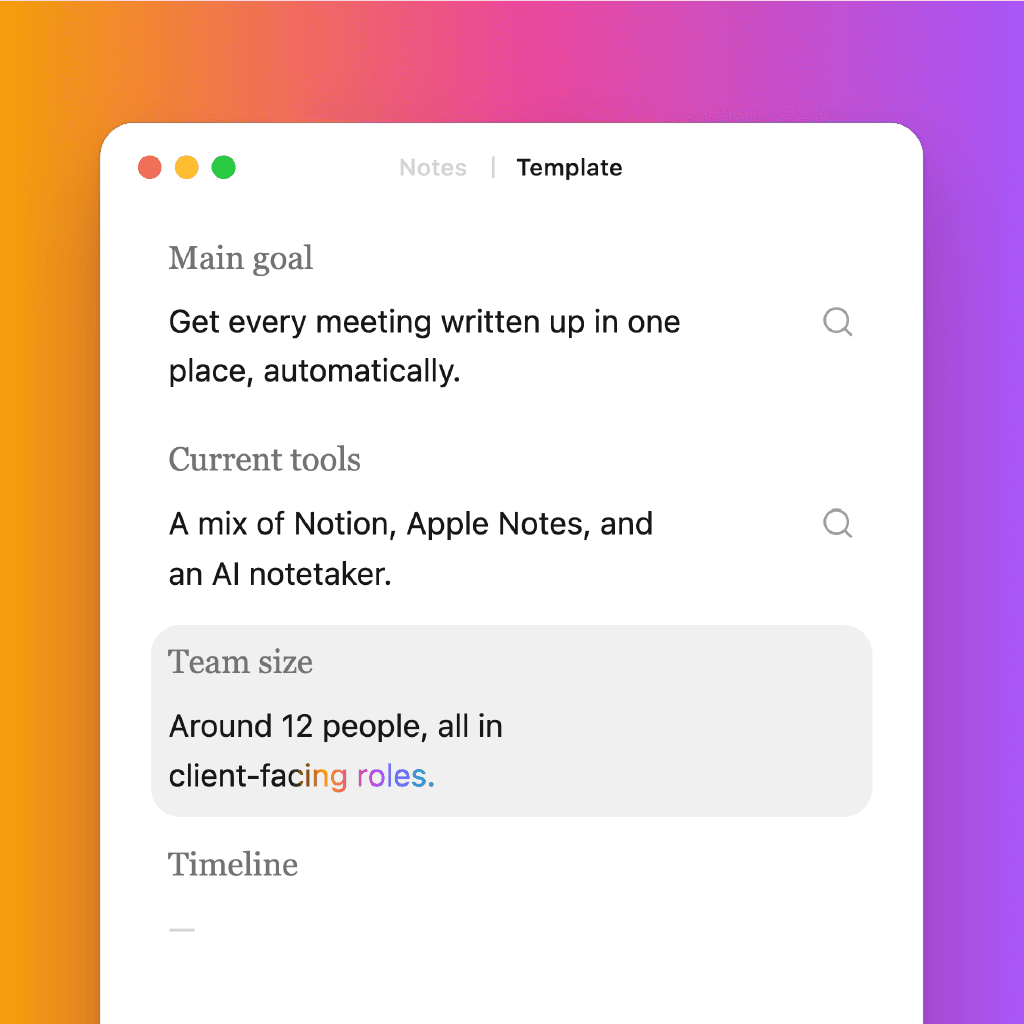
Every answer lands in the right place
Each field watches the conversation. The moment someone says something that answers one, the field fills itself in — live, mid-meeting, without you tagging a thing or copy-pasting a line. You’re not managing the template during the call. You’re just in the call, and the assistant is working through it alongside you.
The fields are whatever your sheet asks — notice period on a screening call, burn rate, root cause, who signs off. Sorinai has no opinion about them.
And every filled answer is anchored to the exact moment it came from. Open a field and you see the quote that produced it, so you’re never trusting a summary you can’t check.
Main goal
—
Current tools
—
Team size
—
Current pain
—
Timeline
—
Budget
—
Decision makers
—
Objections raised
—
Integrations needed
—
Success criteria
—
Trial scope
—
Next steps
—
Watch it tick off as you go.
Open the checklist and every question on your template is there, burning down as the conversation covers them. Each one lights up the moment it’s answered and settles out of the way.
What’s left is the list you scan before you wrap up — the questions this meeting hasn’t answered yet, while there’s still time to ask them.
When the meeting ends, it starts on the file.
The fill runs in the open with its own progress, so you can see your document being written rather than hope it happened.
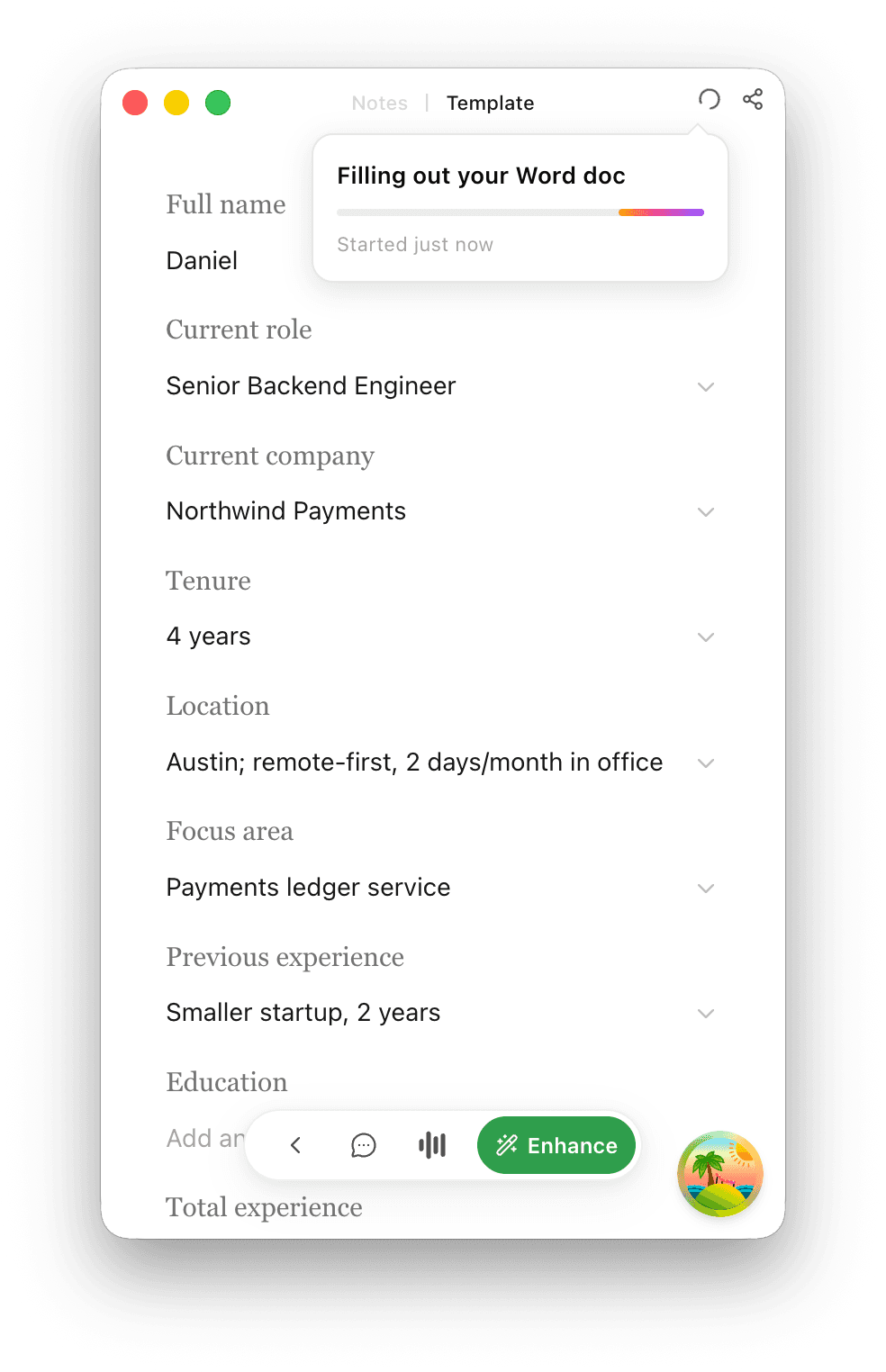
Your document, back and filled out.
Upload your own file and you get it back the way you’d want it: your original Word or PDF, filled in with the answers from the meeting, formatting untouched. Download it and it’s ready to send — no retyping, no copy-pasting from a transcript.
The document you already use, completed for you without any post-call admin. If you haven’t got one to bring, start from one of the free meeting minutes templates.
Senior Backend Engineer — Screening Sheet
Technical
Compensation
Logistics
Recommendation
Frequently asked questions
It stays your fields, in your wording — Sorinai fills the sheet, it doesn’t replace it with a tidier one. Nothing is standardised on the way in or on the way out, so the sheet can be exactly as particular as your process is.
Word and PDF. Sorinai reads the blanks in whatever you bring and treats each one as something to fill, then returns the same file with the answers in place.
Yes — during the call or afterwards. Every answer is yours to change, and the quote it came from stays attached, so you can check it against what was actually said.
Build a template directly in Sorinai, or upload a Word or PDF when you want the completed document returned in its original format. Quick Tidy and the copilot work either way.
The fields fill during the call. Each one answers itself as the conversation reaches it, which makes the empty ones useful — they’re the questions the meeting hasn’t covered yet, while there’s still time to ask. When the meeting ends, Sorinai writes those answers into your original Word or PDF.
No. Sorinai listens to your computer’s audio, so nothing joins the meeting and no one else sees a participant called Notetaker. That’s also why it works on phone calls and in person, not just video.