Sorinai vs Granola AI
Granola improves your notes after the call. Sorinai is a live copilot that helps while you’re still in the conversation.
What does Granola do
Granola figured out something important: the most useful meeting notes are about what you knew was important to you about a meeting, not just a generic summary about everything that was said. The attempt to completely remove you from your own note taking made no sense.
If you’re here, you probably already have a notetaker, and you’re tired of copy-pasting out of its summary to turn it into something usable.
Granola’s very good at this. Your rough notes tell the AI what actually mattered to you, so you get notes that look like your thinking instead of a two page recap about everything anyone said, shaped by what the AI “thought” was important. Granola picks up your computer’s audio directly so no meeting bot joins the call. If you’re doing six calls a day and ending up with paragraphs of summary to go through, Granola fixes that.
What Sorinai does better
But if you spend your day in meetings, better notes to look back on afterwards aren’t always enough. Sometimes you need help while the conversation is still happening.
Sorinai works as a live copilot. Ask how to respond, handle an objection, recall what was said, check a fact, or decide what to ask next. It gives you a concise answer you can use without leaving the conversation.
Meetings also produce recurring documents: CRM notes, interview scorecards, medical notes, project reports, client forms. The information changes, but the structure your team expects usually doesn’t.
Bring your existing Word or PDF template and Sorinai fills its fields as the conversation reaches them. When the meeting ends, those answers are written back into your original file, in the exact structure you already use.
After the call
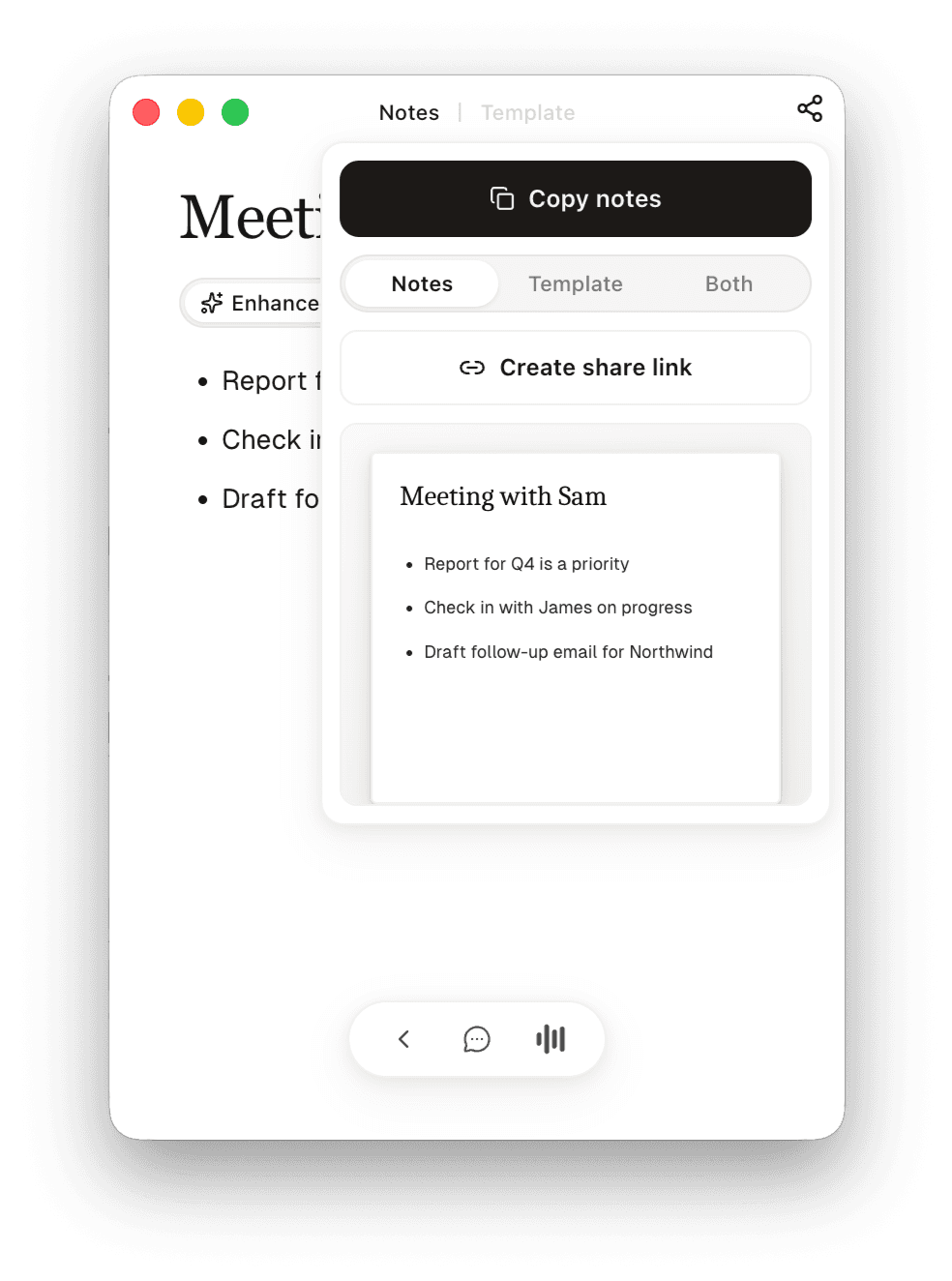
Tweak anything that’s off by just asking, then download your template back out. Same file, same structure, filled in with answers from the call.
Or send it on without the file at all — copy the notes straight out, or create a link to a page anyone can open. Notes, the filled template, or both: you choose which.
Side by side
 | Granola | |
|---|---|---|
| No meeting bots | ||
| Enhanced notes from what you wrote | ||
| Live meeting copilot | ||
| Fills in your own Word or PDF template | ||
| Mac and Windows | ||
| iPhone app | ||
| Collaborative note editing | View only | Read and edit |
| MCP server |
Every Granola column is taken from Granola’s own site and documentation, checked 4 August 2026.
Which one should you use?
Use Granola if
- You need a dedicated iPhone app for meetings away from your computer.
- Several people on your team need to edit the same notes. Granola lets collaborators read and edit shared notes.
- You want to connect your meeting notes to Claude or ChatGPT through an MCP server.
Use Sorinai if
- Most of your calls produce the same document — a qualification sheet, a candidate profile, a discovery form — and you’re tired of filling it in from an AI summary.
- You already have a Word or PDF template your firm or your client expects, and you want a notetaker that fits your workflow instead of changing it.
- You want to watch your template fill itself in during the call, so you can see what’s still missing and what you need to ask.
Weighing a recorder instead? See how Sorinai compares with Otter.ai or Fathom.
Frequently asked questions
No — and neither does Sorinai. Both listen to your computer’s audio instead of joining the meeting, so nothing appears in the participant list.
Yes. Sorinai listens to your computer rather than joining your calls, so it doesn’t need to be the only tool in the meeting. Run it on the calls you’d normally run Granola on and compare how each supports you during the meeting and what each leaves you with afterwards. Starter is free and needs no card.
It stays your fields, in your wording. Upload the Word document or PDF your team already uses and you get that same file back, filled in, formatting untouched.
Yes, Sorinai runs on both Mac and Windows. There’s no phone app yet — if you need an iPhone app, Granola has one.
It works with any call, because it listens to your device rather than connecting to a meeting platform. That includes Zoom, Teams and Google Meet, and also phone calls, WhatsApp, FaceTime and a conversation happening in the room with you.
Starter is free forever, with unlimited meetings and no card. Meetings older than 30 days need a paid plan to open again; nothing is ever deleted, and everything from the last 30 days stays available on the free plan. Personal is $15 per user per month.
No. Your transcripts and meeting notes stay yours, and Sorinai never trains AI models on your content.