Work with AI agents across your meetings
 Equipe Sorinai·
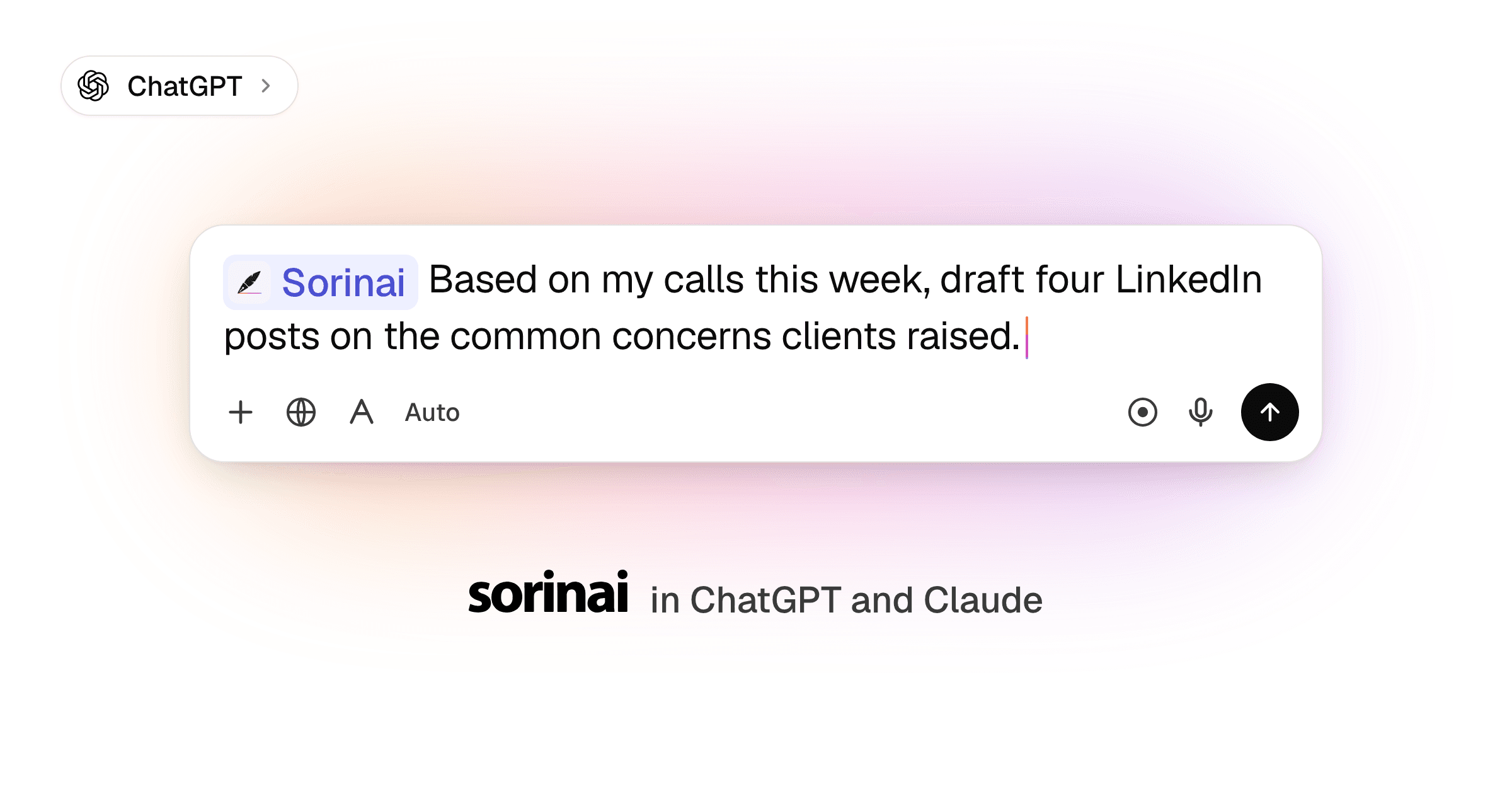
We're excited to announce that you can now ask Claude, ChatGPT or any AI agent of your choice about any call you've had. Sorinai is officially listed in Claude's connector directory and ChatGPT's plugin directory: connect it in a few clicks and either one can search your meetings, read your notes and transcripts, and pull answers straight from your note templates. It can also build you a new template when you ask. It's on every Sorinai plan.
What is an MCP?
MCP (Model Context Protocol) is the open standard AI apps like Claude and ChatGPT use to connect to the tools you already use. Sorinai now supports it, so they can read your meetings when you ask.
Your calls, wherever you're working
Most of the work that comes out of a call happens after it, or somewhere else. You're using Claude or ChatGPT to draft follow-up emails or content to post, and what you need was said on a call last Tuesday.
Until now, for an AI agent to understand your work, that meant opening Sorinai or any notetaker that you use, finding the meeting, copying the right bit and pasting it back into the chat. Now you can skip that step. Ask your AI agent about a call, and it finds the meeting in Sorinai and reads what was written and said. All you have to do is connect it to Sorinai's MCP once.
Sorinai is built to help you during the call: taking notes with you and filling in your template as you talk. The MCP means everything you captured comes with you once the call is over.
What you can do with it
Whether you work in sales, recruitment or any people-facing role where meetings make up a huge part of your work, every call you've taken notes on in Sorinai is now something your AI agent can search, compare and quote, and use directly in its output.
Compare across calls
- "Compare the prospects I spoke to this week: budget, timeline and who signs off."
- "Compare the candidates I screened this week: salary expectations, notice period and whether they need sponsorship."
Whatever template you used for that meeting, Claude and ChatGPT have access to all the filled-in answers from each call.
Turn calls into the work that comes after them
This is the one people reach for every day. The call is the raw material; the follow-up, the post, the submission is the actual job. Your AI agent writes it from what was really said, in the words it was said in, straight from the transcript rather than a summary of it.
- "Write the follow-up email to Marcus, covering the three things we agreed and the pricing question he left open."
- "Give me five LinkedIn post ideas from the calls I did this week."
And when you want to check a line before it goes out, ask where it came from — the agent quotes the transcript back to you, with who said it.
Spot what keeps coming up
- "Across my calls this month, what was the number one objection or concern raised?"
Your AI agent reads every call and gives you the receipts: which ones it came up on, who raised it, and in the exact words it was said.
Make a template by asking
Ask your AI agent for a template, and the questions show up as a card in the chat. Change them, then press Create template or tell it to save, and the template is in Sorinai for your next call.
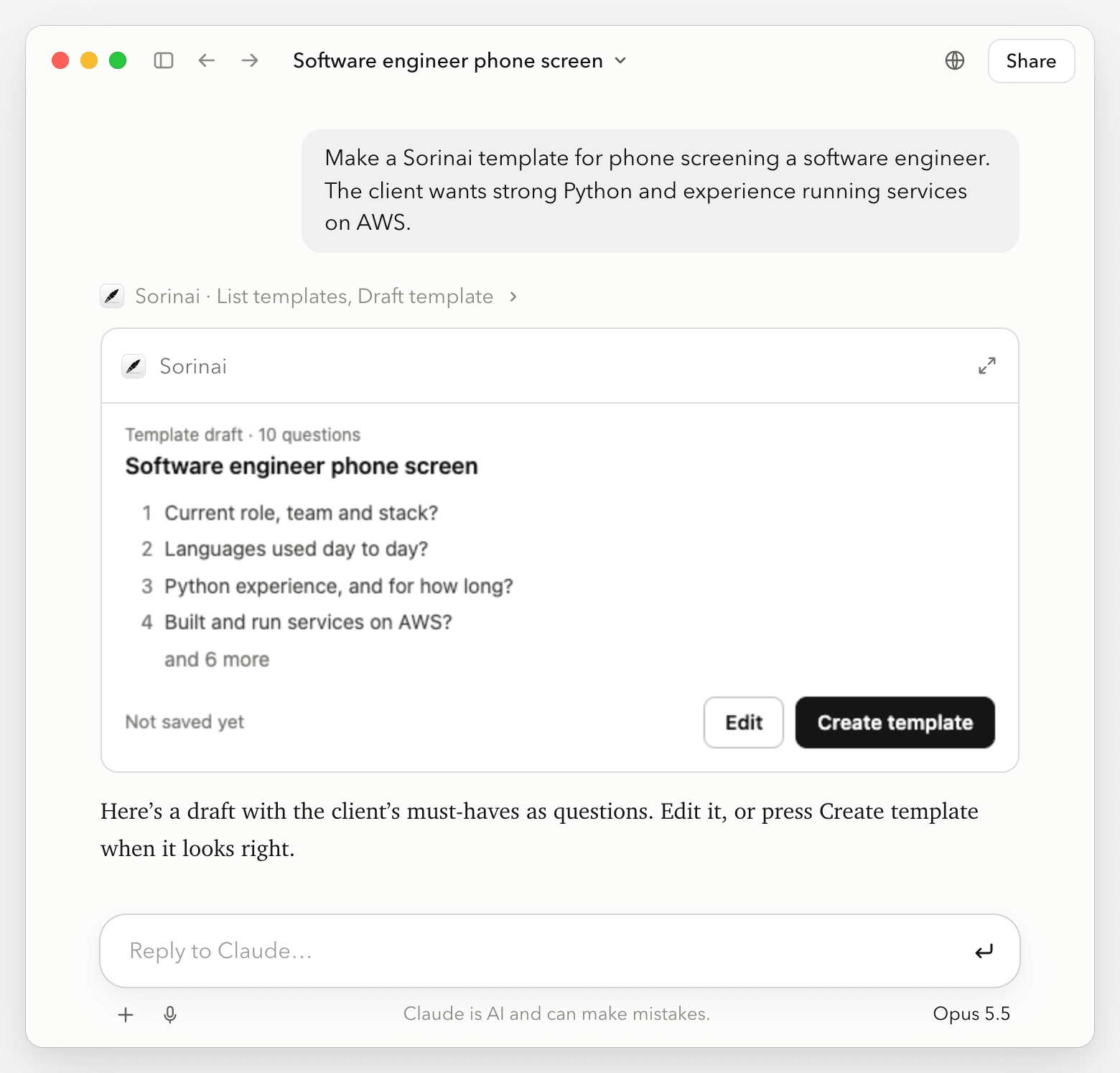
- "Make a Sorinai template for phone screening a software engineer. The client wants strong Python and experience running services on AWS."
- "Make a Sorinai template for my discovery calls from the questions I asked on my last one."
There's more on how it works in ChatGPT and Claude can now build your own templates.
How to connect
In Claude (web or desktop):
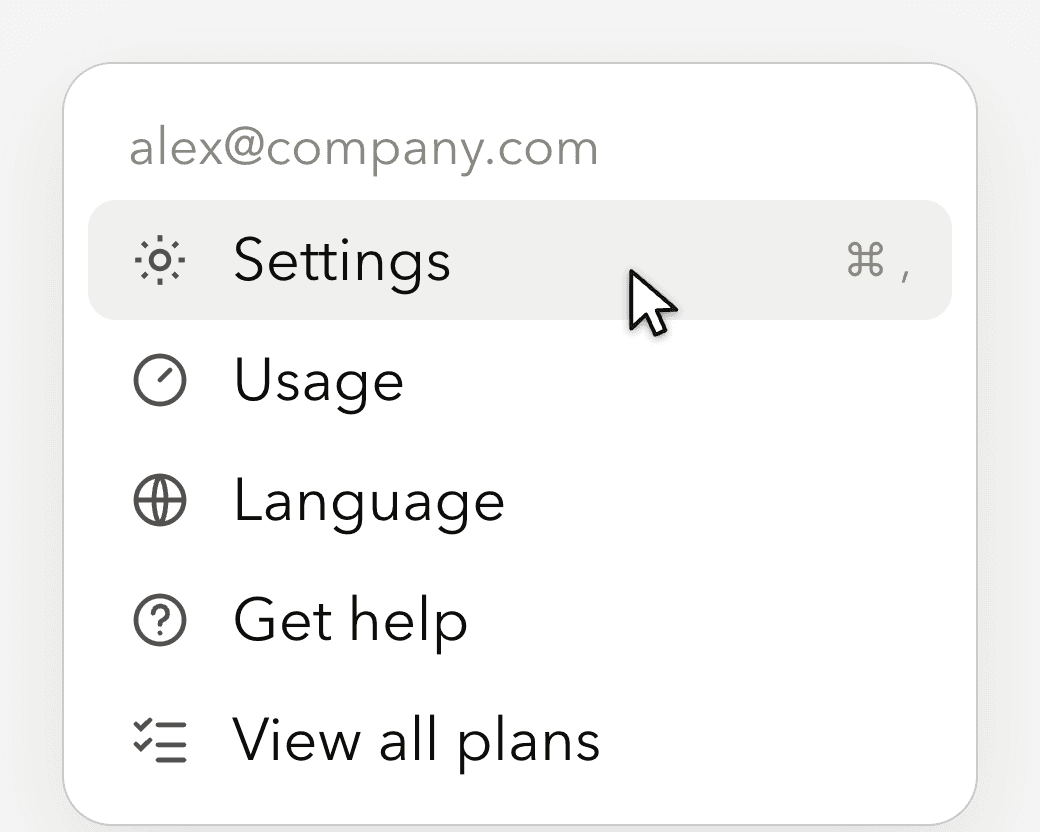
1Click your name, then Settings.
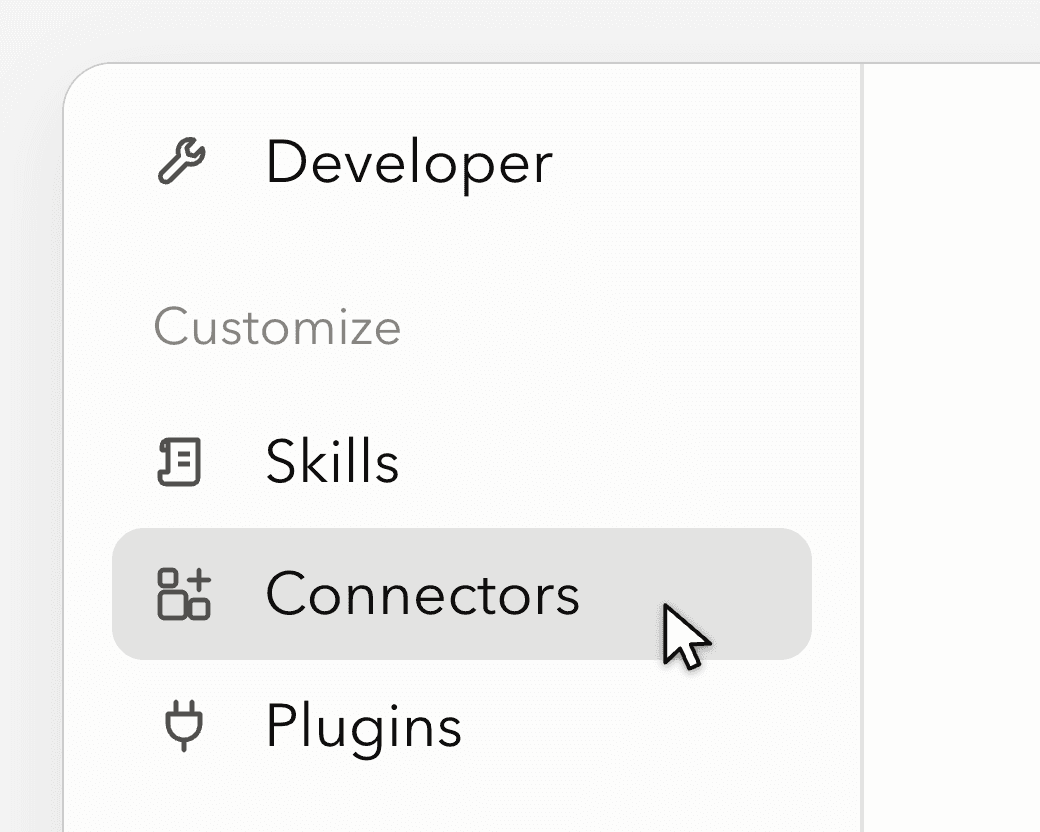
2Open Connectors.
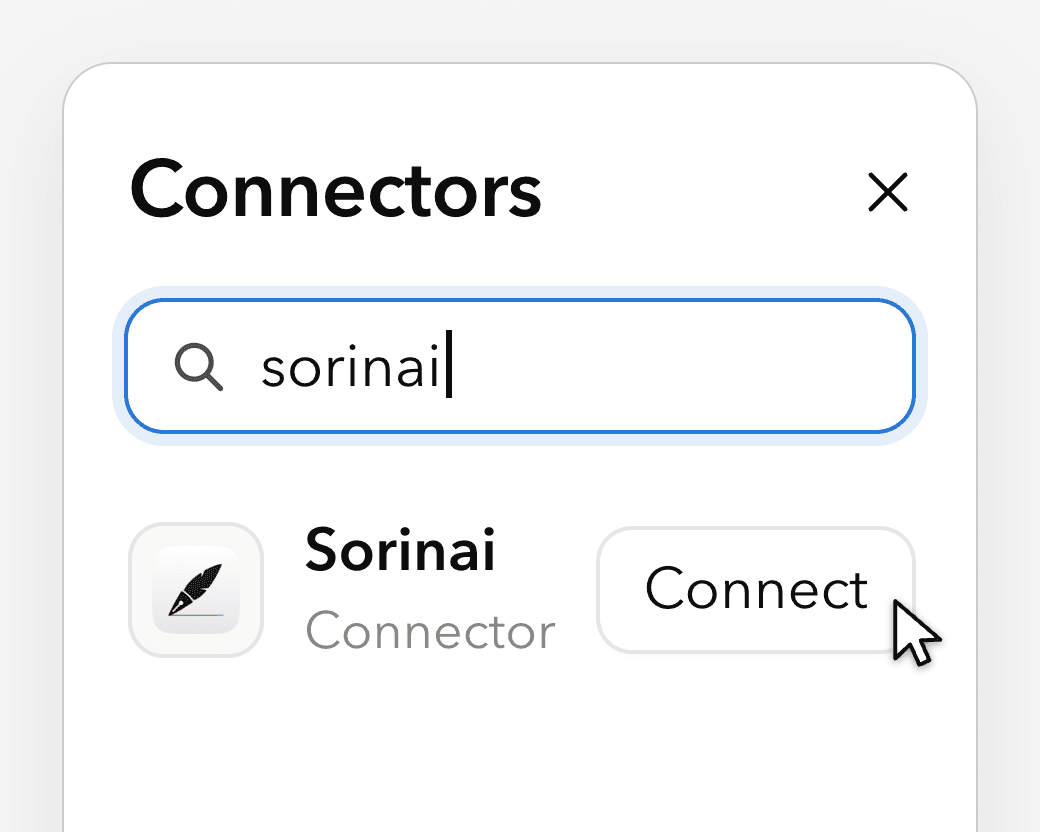
3Search for Sorinai and click Connect.
4Sign in with your Sorinai account.
5In a new chat, make sure Sorinai is switched on. (It should be on by default)
In ChatGPT (web, desktop or mobile):
1Open Plugins in the sidebar and search for Sorinai.
2Select Install plugin, then Connect.
3Sign in with your Sorinai account.
4In a new chat, type @Sorinai and ask about a meeting.
In other apps that support MCP (Cursor and more): add Sorinai as a custom connector with the server URL https://mcp.sorinai.com/mcp, then sign in with your Sorinai account.
What your AI agent can see
- It reads, and it can add a template. It can find and read your meetings, notes, transcripts, folders and templates. It can also draft a new template, which is added when you press Create template or tell it to save. It can't change or delete anything in Sorinai.
- Only your account. It sees the meetings in the Sorinai account you sign in with.
- Processed under your Claude or ChatGPT account. When either one reads a meeting, that content is handled under that account's data settings, the same as anything you paste into a chat.
Frequently asked questions
Is the Sorinai MCP free?
Yes, it's on every plan. On the free plan your AI agent can reach your last 30 days of meetings; on any paid plan it can reach your full history.
Does Sorinai work with Claude?
Yes. Sorinai is in Claude's connector directory. Go to Settings, then Connectors, search for Sorinai and sign in.
Does Sorinai work with ChatGPT?
Yes. Sorinai is in ChatGPT's plugin directory. Open Plugins, search for Sorinai and sign in.
Can Claude or ChatGPT edit or delete my meetings?
No. It can't change or delete anything. The one thing it can add is a new template, and only when you ask.
Live now
Sorinai is in Claude's connector directory and ChatGPT's plugin directory now. It's free for Mac and Windows: download Sorinai, connect it to Claude or ChatGPT, then ask about your last call.
